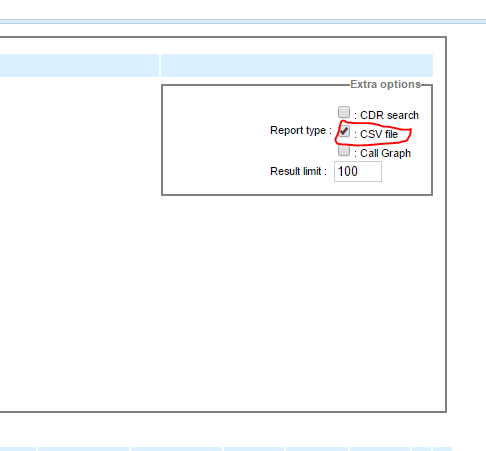
How do I access call logs and/or recordings from extensions other than my own?
Related Articles
How do I access my phone call logs, recordings, and voicemails on the web?
Note: Due to UpLync firewalls, access to the sites referenced below are restricted to those in which physical UpLync telephones are installed and operational. Go to [SERVERNAME].ast.uplync.net/recordings (you can get the name of your server from ...
Call Recordings & Transcripts
How do I listen to a recording? Tap a recording to expand it Use the audio player to play the call The recording will stream directly in your browser and includes both sides of the conversation. How do I call back from a recording? If a caller ID ...
Understanding Your Extensions (Paired Accounts)
A paired account means you have two extensions that work together: one for your desk phone and one for your softphone (mobile or desktop app). You will see them both listed at the top of the UpLync Toolbox section. When someone calls your main ...
Why do I have call-quality issues?
People who use internet-based phone systems can experience call-quality issues for various reasons. Troubleshooting them can be challenging (but not impossible!). Your phone system's sound quality relies on your internet bandwidth (upload and ...
Advanced Call Handling - Transferring and Parking Calls
FollowMe This feature allows another phone to ring simultaneously with your desk phone. Most people set this up with their cell phone number. You can toggle the FollowMe feature on and off using this button. When the button is green, FollowMe is off. ...